Physical Address
304 North Cardinal St.
Dorchester Center, MA 02124
Physical Address
304 North Cardinal St.
Dorchester Center, MA 02124

Discovering how you connect to distant relatives can transform your understanding of family history. The AncestryDNA Shared Matches tool stands as one of the most powerful features available to genetic genealogy enthusiasts in 2026, helping thousands of researchers break through decades-old brick walls and identify their most recent common ancestors.
This comprehensive guide walks you through everything you need to know about using the AncestryDNA Shared Matches tool effectively. From basic navigation to advanced techniques like the Leeds method and Pro Tools Enhanced Shared Matches, you will learn practical strategies that experienced genealogists use to cluster DNA matches and solve complex ancestral puzzles.
Whether you are trying to identify an unknown parentage, sort through endogamous matches, or simply build a more complete family tree, understanding how to leverage shared DNA segments will accelerate your genealogical research significantly. Let us explore how this feature works and how you can apply it to your own genetic genealogy journey.
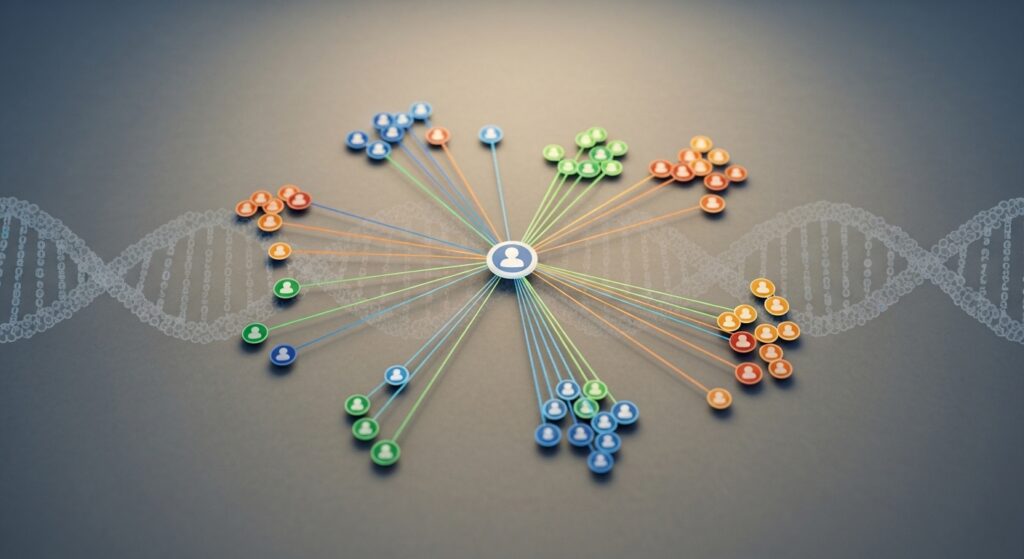
The AncestryDNA Shared Matches tool helps identify DNA matches who are related to both you and another known match. This feature clusters individuals who share similar family branches, making it easier to trace lineage and determine how different matches connect to your family tree. Clicking on the Shared Matches tab for a specific match reveals everyone who matches both you and that known match.
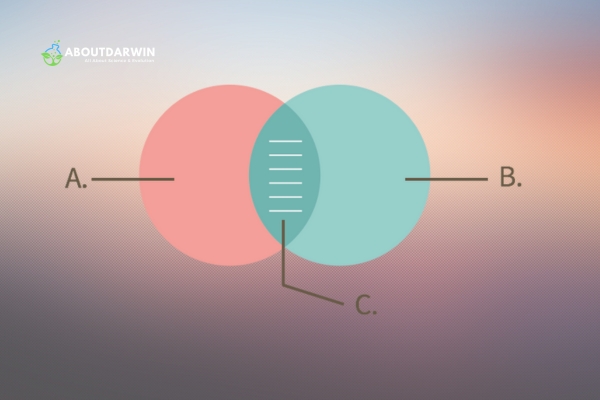
This tool maximizes the efficiency of genealogical research by narrowing the focus to specific family lines. If two DNA matches appear in your shared matches list, they are likely related to you through the same ancestry branch. This insight significantly aids in solving genealogical puzzles, identifying common ancestors, and constructing a more accurate family tree.
Overall, the AncestryDNA Shared Matches tool simplifies the complex task of understanding familial connections through DNA. It allows for a more precise and streamlined approach to uncovering your heritage by grouping matches who likely descend from the same ancestral couple.
The AncestryDNA Shared Matches tool lets individuals identify common family connections through DNA matches. You can easily access this feature by following these precise steps after logging into your account.
First, log into your AncestryDNA account. Go to the AncestryDNA website and sign in with your username and password. Ensure your details are correct for a seamless login process. Once authenticated, you will have access to all your DNA matches and analysis tools.
Once logged in, click the “DNA” tab located at the top of the page. From your DNA matches list, select a match you are interested in exploring further. Click on their username to open their profile page. Next, hit the “Shared Matches” tab to see all the matches both you and the selected person share.
Use this information to examine common ancestors, surnames, and geographic locations, enhancing your genealogical research. The system displays shared matches based on the amount of shared DNA measured in centimorgans (cM).
Also Read: Can DNA Tests Put Your Personal Information at Risk?
Understanding your shared match results requires knowledge of centimorgans, relationship predictions, and filtering options. The data presented can reveal fascinating connections when analyzed correctly.
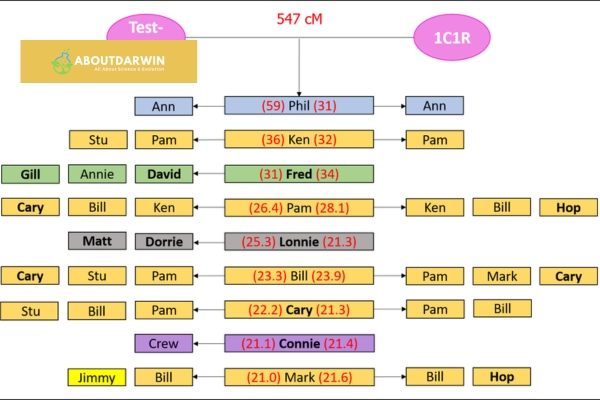
Centimorgans (cM) represent the unit of measurement for shared DNA between you and your matches. The higher the centimorgan count, the closer the genetic relationship typically is. Close matches share hundreds or thousands of centimorgans, while distant cousins may share only 20-30 cM.
The AncestryDNA Shared Matches tool displays matches who share at least 20 cM of DNA with both you and your selected match. This 20cM threshold serves as a baseline filter, meaning smaller matches below this threshold will not appear in shared matches lists. Understanding this limitation helps set realistic expectations when searching for distant relatives.
Shared matches help determine the relationship between you and another match by identifying common ancestors. When multiple people share DNA with you and each other, they likely descend from the same ancestral couple. Ancestry provides relationship predictions based on the total shared centimorgans, though these are estimates rather than definitive answers.
The Leeds method offers a powerful approach for clustering matches by color-coding to understand how they relate to each other and to you. This method helps reconstruct families and identify unknown ancestors by grouping matches into four grandparent clusters. By applying this technique, you can systematically sort your matches into maternal and paternal lines.
AncestryDNA’s shared matches tool offers several filtering options to refine your search. You can filter matches by centimorgans to focus on specific relationship ranges, or use the Common Ancestors filter to identify matches whose trees already show potential shared ancestors. The starred matches filter lets you focus on individuals you have marked for follow-up research.
Searching through shared matches’ family trees for specific surnames or birth locations helps focus your research. If you notice a recurring surname in shared trees, it serves as a valuable clue pointing to a potential common ancestor. Combining filters with surname searches creates a powerful research workflow.
Also Read: Shared DNA Matches: A Guide to Discovering Family Connections
In 2026, Ancestry launched a significant upgrade to the Shared Matches tool for subscribers to Ancestry Pro Tools. The Enhanced Shared Matches feature represents a major advancement in genetic genealogy capabilities, providing deeper insights into how your DNA matches relate to each other.
Enhanced Shared Matches expands on the regular Shared Matches feature by showing exactly how much DNA your matches share with each other, not just with you. This additional data helps you triangulate relationships and build more accurate clusters. The enhanced view displays centimorgan amounts between shared matches, revealing which matches are more closely related to each other.
This feature proves particularly valuable for endogamous populations where matches may share multiple ancestral lines. By seeing the specific DNA amounts shared between matches, you can better distinguish between close relatives and those who share DNA through multiple distant connections.
Ancestry Pro Tools subscribers gain access to several advantages beyond Enhanced Shared Matches. The Pro Tools suite includes advanced filtering options, expanded match lists, and the ability to see how your matches connect to each other in ways the basic tool cannot display.
For serious genealogical researchers working on unknown parentage cases or brick wall problems, Pro Tools offers substantial value. The ability to see exact centimorgan amounts between matches helps determine whether shared matches are siblings, first cousins, or more distant relatives to each other.
Effective use of the Shared Matches tool requires systematic approaches and proven methodologies. These strategies will help you extract maximum value from your DNA match data.
The Leeds method provides a structured approach to organizing your DNA matches into four color-coded groups representing your four grandparents. Start by identifying your second and third cousin matches, as these typically share great-grandparents or great-great-grandparents. Create a spreadsheet and assign each match to a color group based on which matches share DNA with each other.
Once you have clustered your matches, examine the shared surnames and locations within each color group. This process helps you assign each cluster to a specific grandparent line. With practice, you can identify which cluster represents your maternal line versus your paternal line, accelerating your research significantly.
Comparing shared matches lists from different known relatives helps identify whether a match connects through your maternal or paternal side. If you have a known second cousin on your mother’s side, any match who appears as a shared match with that cousin likely connects through your maternal line.
SideView technology further assists this process by automatically sorting your matches into parental groups. When SideView shows a match grouped with your father’s side, you can concentrate your research on paternal ancestors. Combining SideView data with manual shared matches analysis creates a powerful dual approach for line identification.
For adoptees and individuals with unknown parentage, shared matches provide the primary pathway to identifying biological family. Start by building clusters of shared matches using the Leeds method. Look for matches with trees that share common ancestors within a cluster.
Once you identify common ancestral couples within a cluster, build descendant trees forward in time to the generation where your unknown parent would have been born. This technique, combined with shared match clustering, has helped thousands of people identify their biological parents.
Shared matches often reveal connections that traditional paper research cannot uncover. When you hit a brick wall in your family tree, examine the shared matches of known descendants from that line. These matches may descend from the unknown parents or siblings of your ancestor.
Pay special attention to matches with unlinked trees or no trees at all. Their shared matches may provide clues about their ancestry. Reaching out to these matches with personalized messages referencing shared ancestral regions can encourage them to share their family information.
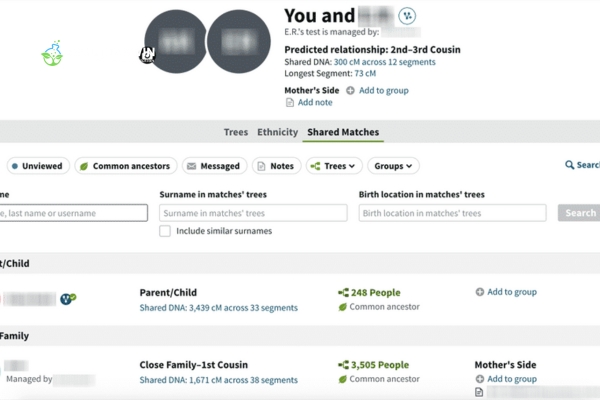
Personalizing messages to DNA matches increases the likelihood of a response. Tailor your messages by mentioning specific details from the match’s profile or your shared ancestral regions. Acknowledge shared DNA segments or potential common surnames to demonstrate genuine interest.
Keep initial messages brief and friendly. Mention that you share DNA and are researching your family history. Ask if they have a family tree you could compare with yours. If they do not respond immediately, wait several weeks before sending a polite follow-up message.
These practical tips will help you work more efficiently with your shared matches and extract maximum genealogical value from your DNA results.
Add notes to every match you analyze, documenting your research conclusions and theories. Use custom tags to mark matches by research status, such as “Contacted,” “No Response,” “Tree Found,” or “Researching.” This organizational system prevents duplicate work and helps you track your progress over time.
Use the star feature to mark matches that are particularly important to your research. Close matches, matches with complete trees, and matches representing key ancestral lines deserve starring. The starred matches filter lets you quickly return to these high-priority connections.
Adjust your centimorgan filters based on your research goals. For unknown parentage research, focus on matches sharing 90 cM or more. For brick wall problems in the 1800s, examine matches in the 20-50 cM range. Higher centimorgan matches typically indicate closer relationships and more recent common ancestors.
Enable the Common Ancestors filter to surface matches whose trees already contain potential shared ancestors. This filter helps you quickly identify matches worth investigating first. When Ancestry suggests common ancestors, verify the connection manually before accepting it as fact.
Use ThruLines and Shared Matches together for powerful research insights. ThruLines suggests how you might connect to matches through your tree, while Shared Matches helps verify those connections. When ThruLines suggests an ancestor and shared matches support that theory, you have stronger evidence for your research.
Also Read: What Is AncestryDNA Triangulation?
Even experienced genealogists make mistakes when working with shared matches. Avoid these common pitfalls to save time and prevent incorrect conclusions.
The 20cM threshold means many distant matches will not appear in shared matches lists. Do not assume that because someone does not appear as a shared match, they are not related to that line. More distant cousins may share DNA with you and a match, but below the 20cM threshold required for display.
In endogamous populations or regions with limited gene pools, matches may share DNA through multiple ancestral lines. Do not assume that because someone shares matches with you, they connect through only one ancestor. Research all possible connections before drawing conclusions.
Matches without linked trees often hold crucial information. Their shared matches can reveal their ancestry even without a tree. Contact these matches respectfully and ask if they would share their family information. Many people have trees they have not linked or knowledge passed down through family stories.
Ancestry’s relationship predictions are estimates based on centimorgan amounts. These predictions can be wrong, especially for more distant relationships. A match predicted to be a fourth cousin might actually be a third cousin once removed or a fifth cousin. Use predictions as starting points, not definitive answers.
Document your shared match analysis in a spreadsheet or research log. Record which matches you have contacted, their responses, and your theories about connections. Without documentation, you will waste time rechecking matches you have already researched and may forget important insights you discovered.
To see shared matches on Ancestry, log into your account and navigate to the DNA section. Click on ‘Matches’ to view your DNA match list. Select any match by clicking their username, then click the ‘Shared Matches’ tab to see all people who share DNA with both you and that match. The system displays matches who share at least 20 centimorgans of DNA with both individuals.
Enhanced Shared Matches is a Pro Tools feature launched in 2024 that shows exactly how much DNA your matches share with each other, not just with you. This additional data helps you triangulate relationships and build more accurate clusters. The enhanced view displays centimorgan amounts between shared matches, revealing which matches are more closely related to each other.
Ancestry’s Shared Matches tool only displays matches who share at least 20 centimorgans (cM) of DNA with both you and the selected match. This threshold means more distant relatives who share less than 20 cM will not appear in shared matches lists. Additionally, matches who have opted out of matching or have private trees may not appear in your results.
The 20cM threshold is the minimum amount of shared DNA required for a match to appear in the Shared Matches tool. Ancestry only shows shared matches who share at least 20 centimorgans with both you and the selected match. This threshold helps filter out very distant matches but means some legitimate distant cousins may not appear in shared matches lists.
Yes, all AncestryDNA test takers can access the basic Shared Matches feature without a Pro Tools subscription. The basic tool shows which matches share DNA with both you and a selected match. Pro Tools subscribers get Enhanced Shared Matches, which displays the exact centimorgan amounts that matches share with each other for more precise relationship analysis.
To determine relationships from shared matches, cluster your matches into groups who share DNA with each other. Compare the surnames and locations in their trees. Use the Leeds method to organize matches into four grandparent clusters. Look for common ancestors among shared matches, and use centimorgan amounts to estimate relationship distances. DNA triangulation and ThruLines can also help verify connections.
Ancestry Pro Tools is worth the investment for serious genealogical researchers working on complex problems like unknown parentage, brick walls, or endogamous ancestry. The Enhanced Shared Matches feature provides crucial data about how matches relate to each other. For casual researchers exploring basic family connections, the free Shared Matches tool may provide sufficient functionality.
The AncestryDNA Shared Matches tool remains one of the most valuable resources available to genetic genealogy researchers in 2026. By understanding how to access, interpret, and strategically apply shared match data, you can make significant progress on even the most challenging family history puzzles.
Whether you are using the basic tool to explore your genetic connections or leveraging the Enhanced Shared Matches feature through Pro Tools, the key to success lies in systematic analysis and careful documentation. Combine shared matches with other Ancestry features like ThruLines and SideView for the most comprehensive research approach.
Remember that genealogical research requires patience and methodical work. Start with close matches, build your clusters carefully, and do not hesitate to reach out to DNA cousins who might hold the key to your next breakthrough. With consistent effort and the strategies outlined in this guide, the Shared Matches tool can help you build a more complete picture of your ancestral heritage.
Also Read: ThruLines Overview and Features


